Table of Contents
This article will guide you through ONEchat. ONEchat is TerpAI’s unified generative AI chat experience. It provides users with immediate access to conversational AI in a single, comprehensive default chat—similar to the experience users expect from other tools. Previously, users were required to choose a specific agent when logging in for the first time. With ONEchat, that decision is no longer a barrier. Users can start chatting immediately, without setup or configuration, while still benefiting from proven system prompts and reliable model behavior. The result is a familiar “retail” generative AI experience that positions TerpAI as a direct alternative to competitors while remaining enterprise‑ready.
Balancing Simplicity and Enterprise Value
While a unified default chat is essential for usability and adoption, many customers invest heavily in building custom agents (or collections of agents) that are grounded in their institutional data. These agents deliver real, differentiated value and must be easily accessible to users. However, when a user logs in for the first time, there may be confusion about what an agent is and which one to select when you want to chat.
ONEchat is a simple, default chat experience that feels familiar and frictionless, while the rest of the platform still enables organizations to provide easy access to high‑value system agents without overwhelming or confusing users.
What's different?
- When a user logs in, they'll be greeted by Name and can immediately engage with ONEchat.
- Users have control over whether or not to enable Image Creation and Web Search. The existing features of Quick prompts and Chat with file are in a new, unified location under the + menu.
- Users can select the desired model (as provisioned by the TerpAI Admins). As they select a model provider, quick descriptions of each model help the user decide.
- When you select New Chat from the menu pane, it always takes you to ONEchat.
Once a conversation is initiated, the icon of the model that produced the response aligns with the other icons.
Model Support
As of July 2026, ONEchat supports the following models:
- gpt 5.2
- gpt-5.4
- gpt-5.5
- gpt-5.6-luna (released 7/29/26)
- claude-sonnet-4-6
- claude-sonnet-5 (released 7/29/26)
- claude-haiku-4-5
Togglable Features
There are features that may be disabled at the user's discretion, which may change the resulting answers or content produced.
Web Search
Microsoft globally retired all public instances of the Bing Search API on August 11, 2025. Through a unique partnership with Microsoft, TerpAI has arranged to offer our users the option to use Microsoft-native Bing Search. Users may wish to disable this feature to ensure they ground their answers only in the provided materials and the LLM models, not in web results.
Image Generation
Users may want to ensure they don’t accidentally generate images to save their quota and/or get answers more quickly.
Data & File Tools
Covered in TerpAI Data & File Tools versus Artifacts KB article.
See Token Impact Before You Chat
The model selector in ONEchat now shows a quick visual cue for how quota- or token-intensive each model is, making it easier to choose the right one for your task. The more leaf icons, the more efficient the model. Additionally, Reasoning Effort, can impact how quickly available monthly quota is consumed.
Tracking Quota and Usage
TerpAI allows users to set a monthly budget, which is tracked by a meter in the upper right of the ONEchat interface. The quota is reset at the start of the month.
As you use TerpAI, you will see the usage increase.
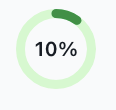
Clicking the quota will show you some additional details.
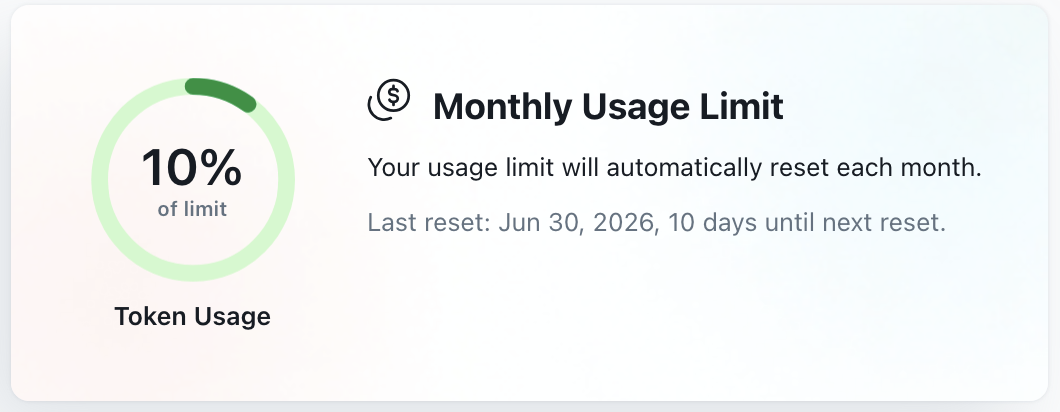
DIT will continue to monitor usage and quota numbers and determine whether this quota should be increased or decreased. Please submit a ServiceNow ticket if you reach your quota so the AI team may review usage with you.